AI Phone Answering for Seafood Restaurants (2026)
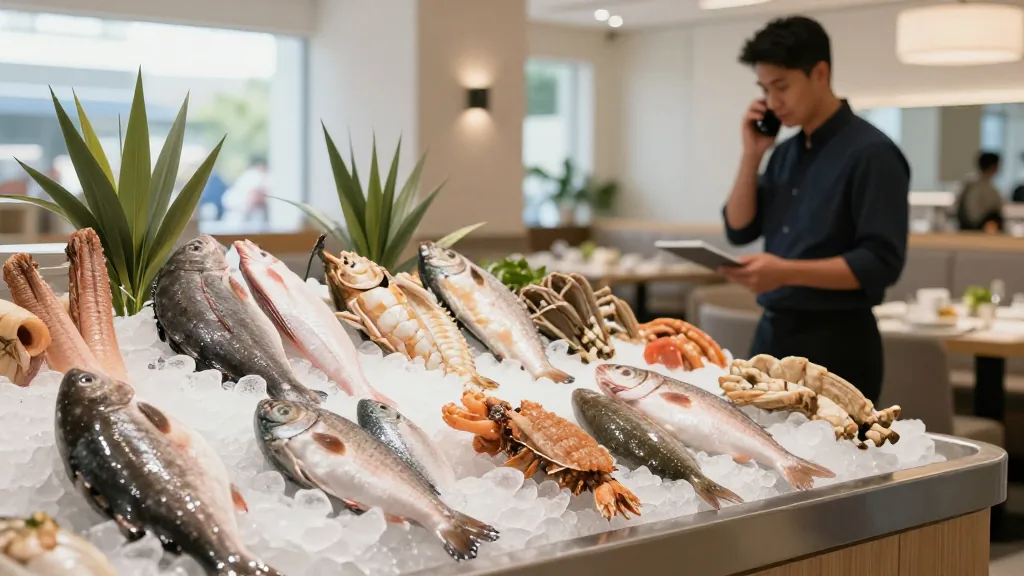
Friday, 6:40 p.m. The steam table is loud, three orders of snow crab are on the boil, and a guy on the phone wants to know if you still have live blue crab and whether he can get four dozen for a party tomorrow. The line rings a second time. Then a third. Your one server who can hear the phone is elbow-deep in a garlic-butter tray. Two of those callers hang up before anyone can breathe. One of them was going to spend $180.
That scene is the tax seafood restaurants pay for being busy. This guide is about how AI phone answering for seafood restaurants takes that tax off the table—not by adding another recorded menu tree, but by answering every call, understanding a messy per-pound order, and dropping it straight onto the kitchen line.
The calls a seafood spot actually loses
Every restaurant misses calls, but seafood has its own flavor of loss, and it's worth naming precisely before we talk about the fix:
- Market-price questions. "What's the crab going for today?" Half the time nobody at the front knows the current number, so the caller gets put on hold, then dropped.
- Big-ticket boil and tray orders. Boils and seafood towers skew large—one dropped call is not a $12 sandwich, it's an $80–$200 order that walks to the shop down the road.
- The Friday-and-weekend surge. Seafood volume clusters hard around Friday dinner, Lent, and weekends. That's exactly when every hand is full and the phone is loudest.
- Availability churn. Live crab sells out. The catch of the day changes. Callers ask "do you have oysters right now?" and get stale answers.
- Language barriers. Many seafood markets and restaurants serve neighborhoods where callers want to order in Spanish or Chinese, and there isn't always a fluent host on shift.
- The after-hours black hole. Someone plans Saturday's family dinner at 9:30 p.m. on a Wednesday. Voicemail. You hear it Friday afternoon. Too late.
Do the loss math with your own numbers
Don't take a vendor's word for what missed calls cost—do the arithmetic with figures only you know. Estimate your missed calls on a busy Friday, the share that were trying to order or book, and your average phone-order ticket. Even conservative inputs get uncomfortable fast:
| Your illustrative input | Example figure (fill in your own) |
|---|---|
| Missed/abandoned calls on a busy Friday | ___ (say, 15) |
| Share that wanted to order or book | ___% (say, 60%) |
| Average phone-order ticket | $___ (say, $55) |
| Recoverable revenue that night | 15 × 0.60 × $55 = $495 |
| Across four busy weekend shifts a month | ~$1,980 |
These are your inputs, not our claims—plug in the real ones and see where you land. The point is simple: for a category with large average tickets, the calls you never answer are usually the biggest single leak in the business.
What "AI phone answering" actually means here
It's a voice assistant that picks up your restaurant's phone, talks with the caller in plain language, and completes the task—takes the boil order, books the table, quotes today's market price from what you've entered, checks a gift-card balance, or texts a payment link. It answers 24/7, is never busy, and handles several callers at once. Instead of "press 1 for hours," the caller talks the way they'd talk to a host at the counter.
If you want the full category walkthrough that isn't seafood-specific, the complete guide to AI phone answering for restaurants covers the mechanics in depth. Here we're staying in the fish house.
The one question that separates a tool from a toy
Plenty of phone bots can hold a conversation. Far fewer can put the order into your point-of-sale and fire it to the kitchen. If a system only sends your staff a transcript, they still have to re-key every pound of crab and every side—slow, error-prone, and pointless during a rush. That's a fancy answering machine.
Rule of thumb: if the bot can't reach your POS, it hasn't done the work—it's just written down what the caller said. Ask any vendor exactly what happens after the caller hangs up. "It creates a ticket someone confirms" is re-keying in a nicer coat.
KwickPhone is native to KwickOS and also bolts onto the POS you already run as an open service—Square, Clover, Loyverse, Epos Now, and Revel. The order lands where your line cooks already look. Before you commit, our integrations page shows each connector's live status and the exact credentials it needs, so there are no surprises on setup day.
Handling the seafood-specific stuff
Market price and daily availability
Because the system is grounded on your menu—not a generic script—it quotes the price you set for the day and knows whether live crab is in. When you sell out of oysters at 7 p.m., you don't want the assistant promising them at 7:15. Owners can flip an item to sold-out by voice mid-service, and the assistant stops offering it immediately. See how the ordering and grounding flow works on how KwickPhone works.
Per-pound and by-the-dozen orders
"Two pounds of snow crab legs, one pound of head-on shrimp, extra corn, no potatoes." A capable system maps that to your real items and modifiers and computes the total—including the day's market rate—rather than fumbling on quantities. When the request crosses into party-tray or catering scale, it hands the call to a person, because those orders deserve a human touch (more on transfers below).
Reservations and the weekend waitlist
Seafood dinners run long and skew family-sized. The assistant books party size, time, and requests—high chair, allergy notes, patio—straight into your floor plan and confirms by text, which quietly trims no-shows.
Multiple calls at once, and calls in three languages
Your best host answers one call at a time. KwickPhone answers as many as ring simultaneously—so the third and fourth Friday-rush caller get a real conversation instead of voicemail. It speaks English, Spanish, and Chinese, detects the caller's language in the first sentence, and switches automatically. The same menu grounding applies in every language, so a Spanish-speaking caller's shrimp boil produces the identical kitchen ticket an English-speaking caller's would. For a diverse coastal or city neighborhood, that's fluent service on every shift without staffing for it.
Knowing when a human should take over
A good assistant stays in its lane. KwickPhone transfers to a person when:
- The caller simply asks for a human—caller preference always wins.
- The order is a large catering job, a party of trays, or a known VIP who deserves personal handling.
- The request is genuinely unusual—an off-menu special request, a complaint, a dietary situation the system shouldn't improvise on.
It also recognizes obvious prank or abusive calls and declines to send ten bogus boils to your kitchen. The goal is to catch the routine, high-volume calls so your staff can pour their attention into the ones that need it—not to wall callers off behind a bot with no exit.
Owner controls built for a busy kitchen
The best part of running this is that you don't need a laptop mid-rush:
- Manage by voice. Update today's market price, mark live crab sold out, or pause online orders with a secure spoken command while you're on the line.
- Per-merchant Playbooks. Encode how your shop runs—upsell the corn and potatoes, never promise under 30 minutes on a Friday boil, always offer the loyalty signup, route catering to the manager.
- Voice and persona choice. Pick from 20+ voices so the assistant sounds like your room—laid-back neighborhood fish shack or a crisp upscale raw-bar host.
Setup: you keep your number
You don't change your phone number. You keep your existing line and forward calls to the AI. On a landline this is usually a call-forwarding code—commonly *72 followed by the forwarding number to turn it on, and *73 to turn it off—though codes vary by carrier, so confirm with yours. On VoIP, you point the number to the AI line in your provider dashboard. You choose to forward all calls, only the ones your team doesn't pick up, or only after-hours calls—so the AI becomes your late-night host while the crew works the floor during service. Plans and what's included live on the pricing page.
A seafood-shop decision checklist
Before you sign anything, get straight answers to these:
- Does it complete the order in my POS and fire it to the kitchen—or just transcribe it?
- Can it quote today's market price and handle per-pound quantities from my real menu?
- Can I mark an item sold out mid-service by voice, without a support ticket?
- How many calls can it take at once? That's where the Friday overflow lives.
- Does it speak Spanish and Chinese and switch automatically?
- When and how does it transfer catering and VIP calls to a human?
- Does it connect to the POS I already run? Check the integrations status list—for example the Square connector or the Clover connector.
Before and after, one Friday
Before. 6:40 p.m. Three phones' worth of demand, one pair of free hands. The $180 party-tray caller hangs up on ring four and calls the competitor. Two takeout orders roll into a voicemail nobody plays until the cleanup shift. Revenue: gone, and you never even knew the names.
After. The party-tray caller is answered on the first ring, gets today's live-crab price, and is transferred to your manager because the order is catering-scale. At the same moment, the AI takes a two-pound snow-crab boil from a second caller, upsells corn and potatoes, texts a payment link, and drops the ticket on the line—while telling a third caller you're open until 10 and where to park. The crew never broke stride.
Hear it take a seafood order
KwickPhone answers every call and places it natively into your POS—or bolts onto Square, Clover, Loyverse, Epos Now, and Revel. Curious how it sounds? Call our live demos (real lines, not canned recordings) at /#try.
Book a demoFrequently asked questions
Can it handle a seafood boil order with per-pound quantities and market pricing?
Yes, when it's grounded on your real menu. It maps "two pounds of snow crab, one shrimp boil, corn and potatoes" to your actual items and modifiers, applies the market price you set for the day, and places it in the POS. Unusually large or catering-scale orders can be transferred to a person.
Does it just take a message, or actually place the order?
The systems worth paying for complete the task. KwickPhone places the order or reservation directly into the POS and fires it to the kitchen rather than leaving a note your staff must re-key.
What languages can it speak?
English, Spanish, and Chinese. It detects the caller's language and switches automatically, and the same menu grounding applies in each language.
Can it transfer a call to a human?
Yes—when the caller asks for a person, for large catering or party-tray orders, for known VIPs, or for anything unusual. It catches the routine calls so your staff can focus on the ones that need a human.
Do I have to change my phone number?
No. Keep your number and forward calls to the AI line—usually a code like *72 on a landline (codes vary by carrier) or a setting in your VoIP dashboard. Forward all calls, only unanswered ones, or only after-hours calls.
Related: the complete guide to AI phone answering for restaurants, the best AI phone answering services for restaurants in 2026, more on the KwickPhone blog, and the by-trade hub covering answering setups for every kind of restaurant.