AI Phone Answering for Coffee Shops & Cafés
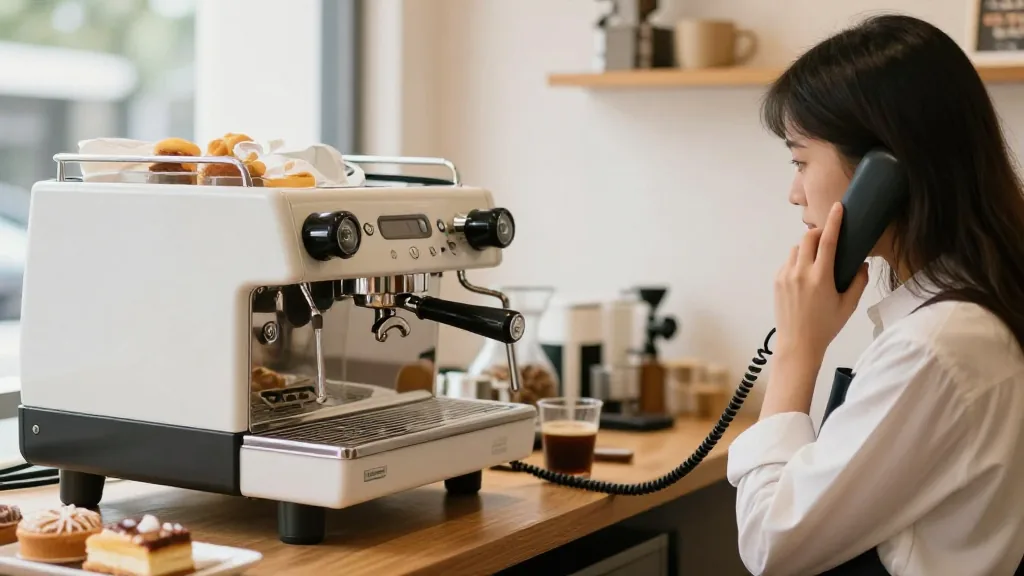
It's 7:48 on a Tuesday. The line is out the door, both espresso machines are screaming, and every barista is locked on bar pulling shots and steaming milk. Then the phone rings. Nobody can free a hand—so it rings, and rings, and rolls to a voicemail no one will check until the lull at ten. On the other end was an office manager trying to place a $140 catering order for a morning meeting. They hang up and dial the café across the street. AI phone answering for coffee shops is built for exactly this moment: it picks up on the first ring, takes the order, and drops it onto your line—while your baristas never look up from the bar.
Cafe phone ordering has a peculiar problem. Your busiest hour for walk-ins is also your busiest hour for calls, and the two compete for the same pair of hands. This guide walks through how a real AI front desk handles that crunch—drink customizations, mobile-order callbacks, catering, hours and directions—in English, Spanish, and Chinese, and the one feature that decides whether any of it is actually useful.
Why the phone is the first thing a café drops
A restaurant gets a dinner rush; a café gets a tidal wave compressed into ninety minutes. During that window your staff is fully committed to the bar and the register, and the phone is the easiest thing to ignore because ignoring it is invisible—a missed call leaves no mess on the counter. But each one is a real order: a regular calling ahead for six lattes, a nearby office that wants a box-of-joe and a tray of pastries, someone checking whether you're open on the holiday before they drive over. The phone doesn't go quiet when you get busy; it gets louder, exactly when you can least afford to answer it.
An AI phone agent removes the conflict entirely. It answers every call, 24/7, never returns a busy signal, and handles several callers at the same time—so the third and fourth caller during the rush get a host instead of voicemail. Nobody has to step off bar.
Can it really handle drink customizations?
This is the question every café owner asks first, and it's the right one. A coffee order is rarely "a latte." It's "a large oat-milk latte, extra shot, half the vanilla, extra hot, two raw sugars on the side." A bot that just records that as a note is useless—someone still has to read it and rebuild it correctly under pressure.
A grounded system does better. It's tied to your actual menu and modifiers, so the spoken order maps to the real items and options your espresso bar already knows—milk swaps, extra shots, syrup levels, temperature, decaf, sizes. The ticket that prints reads the way your baristas build drinks, because it's made of the same modifiers your POS already contains. It also won't invent a syrup you don't carry or promise a size you don't offer, because it can only choose from what's really there.
Mobile-order callbacks and "where's my order?"
Cafés live and die by mobile ordering, and mobile ordering generates a specific kind of call: "I ordered ten minutes ago—is it ready?" or "the app charged me but I don't see a confirmation." These calls are pure interruption, and they almost always land mid-rush. An AI front desk can field them—looking up an order's status, confirming pickup timing, or sending a fresh confirmation text—so your baristas aren't pulled off the machine to play customer service.
Catering and the box-of-joe order
The highest-value calls a café gets are catering calls: a box of joe for a sales kickoff, a dozen lattes and a pastry tray for a morning meeting, a standing weekly order for a nearby office. These are also the calls most likely to be lost to voicemail, because they tend to come in early, while you're slammed. An AI phone agent catches them all—and here's where a well-built system shows its judgment. Small, routine orders it can place straight into the POS. Large, complex, or first-time catering it can capture and then transfer to a person or your manager, so the details, timing, and headcount get the careful, human attention a $300 order deserves. You stop losing catering to a missed ring, without handing your biggest orders to a bot that might fumble them.
What an AI café front desk actually handles
Beyond drinks and catering, a capable system covers the routine questions that otherwise eat a barista's attention:
- Hours and directions — including "are you open right now?", holiday hours, and where to park.
- Pickup and call-ahead orders — placed natively, fired to the bar, with an honest ready time.
- Drink customizations — milk swaps, shots, syrups, temperature, decaf, sizes, mapped to real modifiers.
- Mobile-order callbacks — status checks, confirmation texts, "is it ready yet?"
- Catering and box-of-joe — captured, with large or VIP orders transferred to a human.
- Loyalty and gift cards — looking up a member, checking a balance, applying a reward.
- Multilingual service — English, Spanish, and Chinese among others, switched automatically.
| Caller during the rush | Missed call / voicemail | AI café front desk |
|---|---|---|
| "Six oat lattes, extra hot, for pickup" | Rings out; office orders elsewhere | Places it in the POS, fires it to the bar |
| "Box of joe and a pastry tray for 8am" | Goes to a voicemail checked at 10 | Captures it, transfers catering to a person |
| "Is my mobile order ready?" | Pulls a barista off the machine | Checks status, texts a confirmation |
| "Are you open today?" | Generic, often outdated recording | Answers from live hours, including holidays |
| "¿Tienen leche de avena?" | English only | Switches language automatically |
| Four calls at 7:50am | Three roll to voicemail | All answered at the same time |
The one feature that decides everything: POS-native completion
Plenty of phone bots can hold a pleasant conversation. Far fewer can actually place the order on your line—because most live outside the system that runs your café. When the bot can't reach your POS, your staff still has to re-key everything it took down, mid-rush, which is slower and more error-prone than just answering the phone would have been. You've automated the talking but not the work.
Rule of thumb: a phone bot that can't reach your POS is a fancy answering machine. The value is an order on the bar's printer, not a transcript someone has to retype between drinks.
When you evaluate a vendor, ask exactly what happens after the caller hangs up. If the answer is "it texts your staff the order" or "it makes a ticket someone confirms," that's manual re-entry in a smarter coat. KwickPhone is native to KwickOS, so the order lands directly on your line—and for cafés on other systems it bolts onto common platforms such as Square, Clover, Loyverse, Epos Now, or Revel, so the ticket appears where your team already looks.
Handling the real world: concurrency, pranks, and handoffs
A demo on a quiet line is easy; a Monday-morning rush is not. A few things separate a system that survives it.
Concurrent calls
Human staff answer one call at a time—if at all. The AI answers as many as ring at once, which is where most of the recovered revenue hides: not in any single call, but in the calls that used to overflow into voicemail.
Prank and abuse
The system should recognize obvious prank or abusive calls, decline to act on them, and avoid sending bogus orders to your bar—flagging repeat offenders rather than dutifully firing ten fake mochas.
Knowing when to hand off
A well-built assistant stays in its lane and transfers to a person when the caller asks for one (caller preference always wins), when an order is large, a catering request, or from a known VIP, or when a request is genuinely unusual. The aim is to catch routine, high-volume calls so your team can give catering and regulars their full attention—never to trap a caller in a bot with no way out.
You stay in control
The best platforms put the owner in charge without making you a developer. With KwickPhone you choose from 20+ voices and personas so the assistant fits your brand—warm corner café or crisp third-wave bar. You set per-merchant Playbooks that encode how your shop runs: always offer the loyalty signup, never promise pickup under ten minutes during the rush, transfer any catering over a dozen drinks to the manager. And you can update hours or flip a sold-out item—the oat milk ran out again—by voice, without stopping to open a laptop.
Setup: keep your café's number
You don't change your phone number. You keep your existing line and forward calls to the AI. On a traditional landline this is usually a call-forwarding code—commonly *72 followed by the forwarding number to turn it on, and *73 to turn it off—though the exact codes vary by carrier, so confirm with yours. On VoIP, you point the number to the AI line in your provider's dashboard. You can forward all calls, only the ones your baristas can't grab, or only calls outside open hours—so the AI becomes your rush-hour and after-hours host while your team works the bar.
Curious how it sounds?
The honest way to judge voice AI is to hear it on a real call, not in a slide deck. KwickPhone runs live demo lines you can call yourself—real lines, not recordings—so you can order a customized drink, ask about catering, and listen to how it handles the back-and-forth before you decide anything.
See AI phone answering built for the morning rush
KwickPhone answers every café call and places it natively into your POS—or bolts onto Square, Clover, Loyverse, Epos Now, or Revel. Want to hear it first? Call our live demos at /#try.
Book a demoFrequently asked questions
Can it handle drink customizations?
Yes. A grounded system maps a spoken order—"oat-milk latte, extra shot, half the syrup, extra hot"—to the real modifiers your espresso bar already uses, so the ticket matches how your baristas build drinks, with no re-keying and no invented options.
Will it tie up my baristas during the rush?
No—that's the point. The AI answers every call so nobody leaves the bar. It handles several callers at once and only transfers to a person when the caller asks, or when a request is large, unusual, or a catering order that deserves a human touch.
Can it take catering and box-of-joe orders?
It captures them, and for big or complex catering it can transfer to a person or your manager so timing and details are handled carefully. Routine orders go straight into the POS; high-value catering gets the personal attention it should.
Does it work with my coffee shop's POS?
If you run KwickOS it's native, placing the order directly on your line. On other systems it bolts onto common platforms such as Square, Clover, Loyverse, Epos Now, or Revel, so the order lands where your team already looks instead of becoming a message someone retypes.
Do I have to change my café's phone number?
No. You keep your number and forward calls to the AI line—usually a code like *72 on a landline (codes vary by carrier) or a setting in your VoIP dashboard. Forward all calls, only unanswered ones, or only calls outside open hours.
Related: AI phone ordering for quick-service restaurants and AI phone answering for restaurants: the 2026 guide.