AI Phone Answering for Appliance Repair (2026)
A homeowner's fridge died overnight, the freezer is dripping onto the floor, and there's $300 of food at stake. It's 7:40 a.m. and they're dialing every appliance repair shop in the search results. The first one that answers a live, competent voice gets the job. The other four ring out, hit a voicemail nobody will check until mid-morning, or land in a queue. By the time your office plays back the message, that job is already on someone else's schedule for this afternoon.
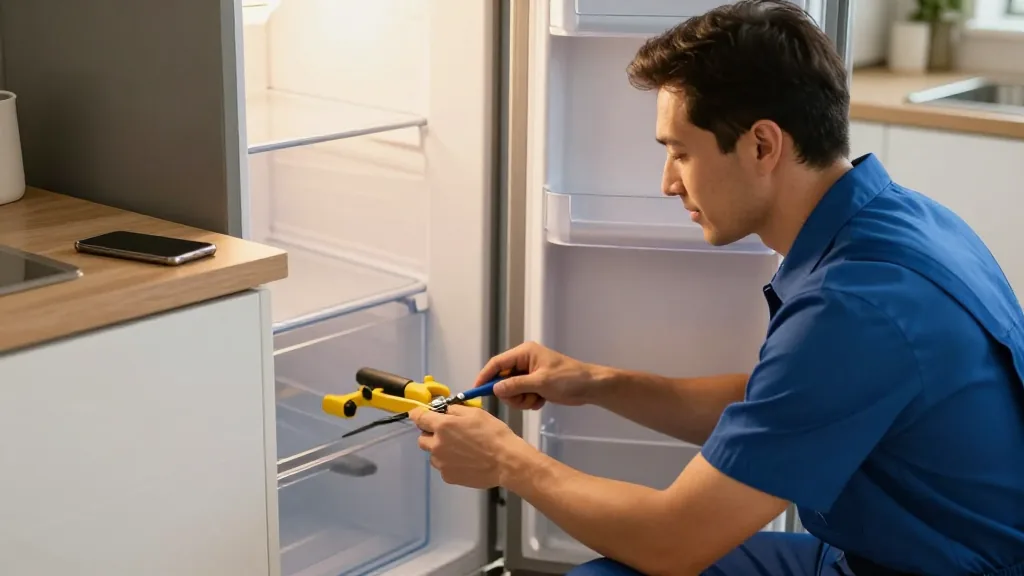
Appliance repair is one of the most phone-dependent trades there is, and it's also one of the hardest to staff a phone for — your best people are under a dishwasher, not sitting at a desk. AI phone answering for appliance repair closes that gap: software that picks up every call, talks like a real dispatcher, captures the make and model, and books the service call into your system without pulling anyone off a job. This guide is written for owners and dispatchers who want to understand how it works before they commit.
The calls you're losing right now
Run the math on your own numbers. If your average completed repair — diagnostic plus labor plus part — is worth, say, $220 to $350 to you (use your real figure), then a single missed call that goes to a competitor isn't a nuisance; it's a line item. Here's where those losses actually happen in this trade:
- The overlap hours. 7–9 a.m. and 4–6 p.m. are when appliances break and when your techs are driving, not answering. That's exactly when call volume spikes and staffing is thinnest.
- Mid-repair calls. Your tech is elbow-deep in a wall oven and can't answer. The next emergency call rings out.
- The voicemail black hole. Homeowners with a flooding washer don't leave a message — they hang up and dial the next number. Emergency callers almost never wait for the beep.
- After-hours and weekends. A Saturday-morning dryer failure is prime business, but the office is closed and the answering service just takes a name and number to re-key Monday.
- Re-keying tickets. When a message does get captured, someone re-types the address, appliance, and symptom into your scheduler — slow, and where wrong addresses and missing model numbers creep in.
- Language barriers. In many service areas, a caller who can't be helped in Spanish or Chinese simply hangs up and finds a shop that can.
Every one of these is a routine, high-frequency call — the kind that should never require a human's full attention, and the kind AI is genuinely good at.
What AI phone answering actually does for a repair shop
It's a voice assistant that answers your shop's phone, understands what's wrong, and finishes the task. For appliance repair that means it books the service appointment, captures the appliance details your tech needs, quotes your standard diagnostic fee, texts a confirmation, and can take a deposit by SMS — around the clock, never busy, and handling several callers at once. Instead of "press 1 for service," the caller just describes the problem the way they would to your best front-desk person, and the assistant responds naturally in English, Spanish, or Chinese, switching automatically when it hears the caller's language.
The important word is finishes. The category is full of bots that can chat but can't act. If you want the full picture of the difference, our complete guide to AI phone answering breaks down the mechanics that apply to any appointment-driven business, and the how KwickPhone works page walks through the call flow step by step.
The one question that separates useful from useless
Does it book the job in your system, or does it just take a message? A phone bot that can't reach your scheduling or POS software only produces a note someone still has to re-enter — you've automated the talking, not the work. That re-entry is the exact slow, error-prone step you were trying to eliminate.
Rule of thumb: an AI that can't write into your booking system is a smarter voicemail. The value is a confirmed appointment on the calendar with the appliance, model, address, and symptom already attached — not a callback list.
KwickPhone is native to KwickOS and also bolts onto the systems you may already run — see the integrations directory, which shows each connector's live status and the exact credentials required to link it. It works as an open service on top of Square, Clover, Loyverse, Epos Now, and Revel, so the booking lands where your dispatcher already looks.
Capturing make, model, and symptom — the detail that saves a truck roll
The difference between a first-visit fix and a wasted trip is usually one thing: did you know the model number before the tech left the shop? A good AI assistant is prompted to collect, confirm, and read back the appliance type, brand, model, serial (when the caller can find it), and the symptom in plain language — "front-load washer, won't drain, standing water in the drum." That structured detail rides on the job so your tech can pull the likely part before arrival.
You control exactly how that intake runs. Per-merchant Playbooks let you encode your shop's rules: always ask for the model plate location, never promise same-day on a Friday, quote the $89 diagnostic (your number) upfront, flag any warranty-brand call for the office, and offer the earliest two windows rather than an open-ended "when works for you." You can adjust hours, pause new bookings when the schedule is full, or flip an on-call setting by secure voice command — handy when you're on the road.
Voicemail vs. a real AI dispatcher
| Caller's situation | Voicemail / basic bot | AI phone answering (KwickPhone) |
|---|---|---|
| "My fridge stopped cold overnight" | Message; callback hours later | Books the earliest window, captures brand + model, texts confirmation |
| Three calls at 8 a.m. | Two ring out to voicemail | All three answered at once |
| Saturday dryer failure | Office closed | Answered and booked 24/7 |
| "¿Reparan lavadoras?" | English only | Switches to Spanish automatically |
| Property manager, 6 units | Same generic script | Recognizes a large job; transfers to a person |
| Repeat prank calls | Bookings clog the calendar | Detects abuse; declines to book |
Everything it can handle beyond booking
- Diagnostic-fee deposits by SMS — text a secure link so the caller commits before you send a truck, cutting no-shows.
- Service-window reminders — a day-before and morning-of text so someone's actually home.
- FAQs — service area ZIP codes, brands you do and don't service, "do you do stackable units?", warranty policy — answered from your real details.
- Rescheduling — moving a window when a part is backordered, without a phone-tag chain.
- Status questions — "is my part in yet?" routed or answered per your Playbook.
- Overflow — catching calls your office can't, then handing the busy hours back to your team.
When it should hand the call to a human
A good assistant stays in its lane. KwickPhone transfers to a person when the caller simply asks for one — caller preference always wins — when the job is unusually large or from a property manager, landlord, or VIP account that deserves a personal touch, or when the request is genuinely unusual or outside what it can safely complete. The point is to absorb the routine, high-volume booking calls so your dispatcher gives full attention to the ones that need judgment — not to trap anyone in a bot with no way out.
Setup: keep your number, forward the line
You don't change your phone number. You keep your existing line and forward calls to the AI. On a traditional landline that's usually a call-forwarding code — commonly *72 followed by the forwarding number to turn it on and *73 to turn it off, though codes vary by carrier, so confirm with yours. On VoIP, you point the number to the AI line in your provider's dashboard. Best of all, you choose which calls forward: all of them, only the ones your office doesn't pick up, or only calls outside business hours — so the AI becomes your after-hours and overflow dispatcher while your team works the daytime rush.
You can also pick how it sounds: a library of 20+ voices and personas lets the assistant match your brand, whether that's a friendly neighborhood shop or a crisp, professional service company.
A decision checklist for appliance repair owners
- Does it book into my scheduler/POS, or just transcribe? Ask exactly what exists after hangup.
- Does it capture and confirm make, model, and symptom on the job?
- How many calls at once? Overlap-hour concurrency is where recovered revenue hides.
- Can it collect a diagnostic deposit by text to cut no-shows?
- English, Spanish, and Chinese with auto-detect?
- Clean transfer to a human for VIP, property-manager, and unusual calls?
- Can I change hours, pause bookings, and edit rules myself, instantly?
- Can I hear it live before I buy?
To compare how the leading systems stack up against this list, see our roundup of the best AI phone answering services. For plan details, pricing is here, the by-trade hub covers other service businesses, and the appliance repair page goes deeper on this vertical. You can also browse more guides on the KwickPhone blog.
A realistic before and after
Before. It's Saturday, 8:15 a.m. A homeowner's dishwasher flooded the kitchen. Your office is closed; the answering service takes a name and number. Two other emergency calls come in the same hour and get the same treatment. Monday, your dispatcher works down the list — two of the three already found someone else over the weekend.
After. The same Saturday call is answered on the first ring by an AI dispatcher that knows your service area and brands. It captures "Bosch dishwasher, model reads off the door plate, standing water," books the first Monday window, texts a confirmation and an $89 diagnostic deposit link, and drops a complete job into your schedule — while a second call gets booked in Spanish and a third gets your soonest available slot. Nobody on your team lifted a finger, and three weekend jobs are on the books by Monday morning.
See AI phone answering that books the job — not just a message
KwickPhone answers every call, captures make and model, and writes the appointment into your system natively or on top of the software you already run. Want to hear it? Call our live demos (real lines, not canned recordings) at /#try.
Book a demoFrequently asked questions
What is AI phone answering for appliance repair?
A voice assistant that answers your phone 24/7, understands the caller's problem, captures the appliance type, brand, and model, and books the service call directly into your scheduling or POS system — instead of leaving a message someone has to re-key.
Can it capture make and model over the phone?
Yes. It prompts for appliance type, brand, model number, and symptom, reads back what it heard to confirm, and stores it on the job so your tech arrives with the likely part instead of an empty van.
Will it book the job or just take a message?
The best systems book. KwickPhone completes the appointment inside your system, texts a confirmation, and can collect a diagnostic-fee deposit by SMS. A bot that can't reach your system only takes a message your office must re-enter.
Can it transfer a call to a human?
Yes. It transfers when the caller asks for a person, when a job is unusually large or from a property manager or VIP account, or when the request is outside what it can safely handle. It catches routine booking calls so your dispatcher handles the ones that need judgment.
Do I have to change my phone number?
No. You keep your number and forward calls to the AI line — usually a code like *72 on a landline (codes vary by carrier) or a setting in your VoIP dashboard. Forward all calls, only unanswered ones, or only after-hours calls.
Related: the complete guide to AI phone answering and the best AI phone answering services for 2026.