KwickPhone for IT Support / MSPs · Email orders, bookings & requests

The quote request sat in your inbox for three days

KwickPhone watches your inbox like a live dispatcher and turns every emailed ticket, quote ask and onboarding request into a logged, acknowledged job before it goes cold.

Email orders, bookings & requests for IT Support / MSPs — KwickPhone answers the phone

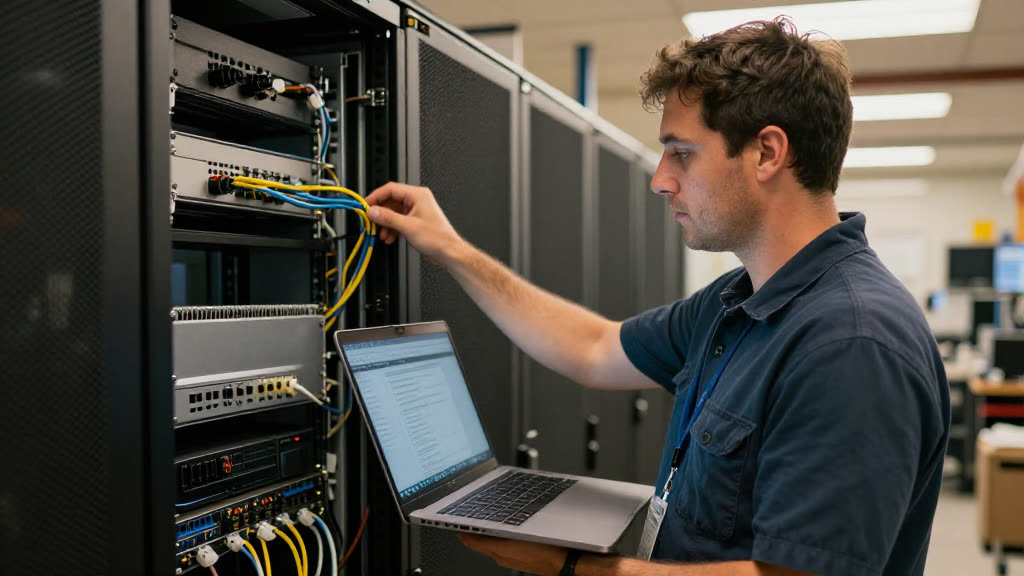
You're flat on your back under a server rack at one client, both hands busy reseating a failed drive, phone face-down because you can't touch it with thermal paste on your fingers. Meanwhile a prospect who got your name from a referral emails asking for a quote on managed IT for their twelve-person office. It lands in your inbox and sits there, unread, perfectly silent. By the time you're back at your desk that night, you've got forty new messages, the prospect's email is buried under vendor newsletters and ticket auto-replies, and you skim right past it. Three days later they've signed with the next MSP who actually wrote back. Nobody dropped the ball on purpose. Email just doesn't ring.

KwickPhone reads your shared inbox the moment something arrives. When that quote request comes in, it recognizes it as a real opportunity — not a newsletter, not a vendor blast — and acts: it sends the prospect an immediate, human-sounding reply confirming you got their request and asking the two or three things you'd always need to scope it (how many users, do they have a server or all cloud, any compliance requirements). It pulls those answers into a structured intake, logs it as a new lead, and flags it for you with everything already organized. The same thing happens when an existing client emails 'our backup failed last night' or 'can we add a new hire to the help desk plan Monday' — it's captured, acknowledged, and turned into a ticket instead of decaying in a pile.

For an MSP this matters more than for almost any trade, because your whole reputation is responsiveness. A network being down is an emergency to the client even when it's a routine fix to you, and the gap between 'they emailed' and 'someone replied' is exactly where you lose accounts and where SLAs get blown. You can't be at the keyboard while you're elbow-deep in a rack at another site, and you shouldn't have to choose. KwickPhone closes that gap so the client who emailed at 9:14 gets a real acknowledgment at 9:15, and you walk back into a clean, prioritized list instead of a landmine field.
How it works

Email orders, bookings & requests for IT Support / MSPs, handled.

Real calls

What it sounds like for it support / msps.

1

A referral prospect emails 'A colleague recommended you — we're a small accounting firm, around 15 people, and our IT guy just retired. Can you help?' KwickPhone replies within the minute thanking them, confirms you handle exactly this kind of full managed-IT handoff, and asks whether they're on a server or fully cloud and whether they have any data-retention or compliance obligations — then logs a hot lead with their answers so you can quote without an opening round of emails.

2

An existing client writes at 7:40 a.m. 'None of us can get to the shared drive and we have a payroll deadline today.' KwickPhone recognizes the urgency, replies to reassure them it's being escalated right now, opens a high-priority ticket with the symptom and the deadline noted, and pings your on-call tech immediately rather than letting it wait until you open your laptop.

3

An office manager emails 'We have two new hires starting Monday — can you get their laptops, email and help-desk access set up?' KwickPhone captures the two names, the start date, and the scope, confirms the request is received, and creates an onboarding task tied to that client so nothing about the Monday deadline gets lost in the weekend pile.

4

Someone forwards a suspicious phishing email asking 'Is this real? Should we click it?' KwickPhone does not guess or give a verdict it isn't sure of — it confirms receipt, flags the message as a potential security concern, and routes it straight to you with the original attached so a human makes the call, which is exactly how you'd want a security question handled.

Built for it support / msps

Your whole phone, handled.

Hands in a server rack at one client — another's network is down and they call the next MSP. KwickPhone answers every call for your it support / msp business — not just email orders, bookings & requests, but the everyday requests that keep ringing in:

Every call is picked up 24/7 in English, Spanish & Chinese, with no hold music — and each order, booking or quote is written straight into the POS you already run, or KwickPhone’s own built-in POS if you don’t have one. No missed calls, no voicemail, no lost it support / msp jobs.

Email orders, bookings & requests for a it support / msp — answered by KwickPhone
Why it pays off

What it support / msps get.

More ways KwickPhone helps IT Support / MSPs

Every it support / msp call, handled.

Questions
Will it reply to clients on its own, or just draft something for me?
It sends the acknowledgment and the scoping questions on its own, immediately, because the whole point is that a client hears back while you're unreachable. What it won't do is commit to anything you haven't defined — no prices, no SLAs, no fixes — so its replies confirm receipt and gather facts, and the actual answer stays with you.
How does it know an emergency from a routine request?
It reads the content of the email, not just the subject line, and weights phrases like 'down,' 'can't access,' or a stated deadline as urgent versus 'next week' or 'when you get a chance' as routine. Anything it flags as high priority gets pushed to you or your on-call tech right away rather than sitting in the queue, and you can tell it which phrases matter most for your clients.
We use a PSA/ticketing system already. Does this replace it?
No — it feeds it. KwickPhone's job is the gap between the email arriving and a ticket existing: it captures, parses, and confirms, then hands you a structured record. If you don't run a ticketing tool at all, the captured requests live in KwickPhone so you still have one organized queue instead of a raw inbox.
What about phishing or security questions clients forward to us?
It treats those carefully on purpose. It will confirm the message was received and flag it as a possible security concern, but it does not render a verdict on whether something is safe to click — it routes the original straight to you so a human decides. Guessing on a security question is exactly the kind of thing it's built not to do.
Can it handle clients who email in Spanish or Chinese?
Yes. It reads and replies in English, Spanish, and Chinese, so a client who writes in their own language gets a real acknowledgment in that language instead of silence while you find someone to translate.
Will it reply to spam, newsletters, and auto-responses too?
No, that's a core part of what it does. It classifies incoming mail and ignores vendor blasts, newsletters, and automated bounces, only acting on what reads like a real request from a person. So your captured queue is signal, not the forty-message pile you'd otherwise be digging through.
What happens with a request it can't fully understand?
It doesn't fake competence. If an email is ambiguous, goes beyond what you've told it about your services, or clearly needs a judgment call, it stops, hands the thread to you with everything it did gather already attached, and flags it for a human. You'd rather it pass a tricky thread up cleanly than improvise a wrong answer to your client.

No POS yet? KwickPhone can be your POS too — a built-in register, orders & menu in one place. Already on a POS? Orders write straight back into it.