Stop Missing Jobs: AI Phone Answering for Field Service That Books Into Your CRM
The call comes in at 2:47 on a Tuesday. A homeowner's water heater just gave out — they have the address ready, they need someone today, and they're dialing the first number that comes up. Your phone rings and rings while you're chest-deep in a crawl space two streets over. By the time you surface and check voicemail, they've already booked someone else. That isn't a customer-service problem. It's a physics problem: the same pair of hands can't fix a pipe and answer the next job at the same time.
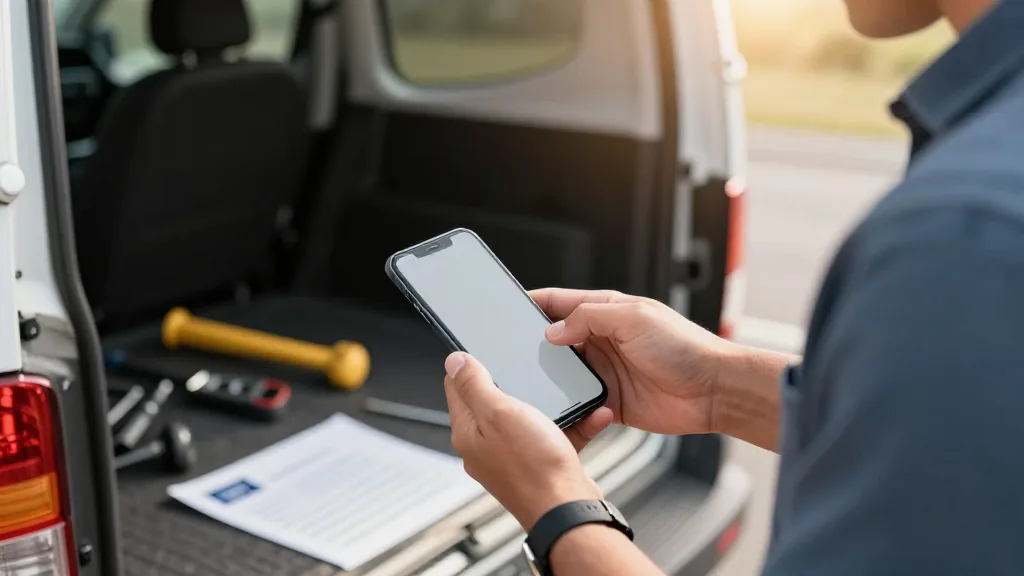
AI phone answering for field service breaks that constraint. It picks up the moment the phone rings, holds a natural conversation with the caller, captures every job detail, books the appointment against your schedule, and drops a ready ticket into your CRM — all without pulling you off the work you're already billing for. This guide explains how that works, which businesses it serves, what to look for before you buy, and the one question that separates a real booking tool from a glorified voicemail.
The silent revenue leak every field-service business already knows
Picture any Tuesday morning in the trades. A plumber is fighting a corroded shutoff under a kitchen sink — knuckles scraped, phone face-down in a tool bag. An HVAC tech is thirty feet up on a commercial rooftop torquing a condenser. An electrician is inside a live panel with both hands occupied. All three phones are ringing. All three go to voicemail.
Callers with a leaking pipe or a failing furnace don't leave messages and wait — they call three businesses and book the first one that picks up. By the time your tech climbs down and listens to the voicemail, the job is gone. The same story plays out across every service vertical: for a salon, the missed call is an empty chair all afternoon. For a repair shop, it's a device that never got booked for drop-off. For a dental clinic, it's an appointment slot that could have been filled. For a hotel, it's a late-arriving guest who booked elsewhere when nobody answered at the front desk.
After-hours calls compound the damage. A burst pipe at midnight, an AC unit failing during a heat wave, a flooded basement at six in the morning — emergencies arrive on the caller's schedule, not yours. And even during business hours, no dispatcher can answer two calls at once during the mid-morning surge.
Then there's the re-keying tax. Even the calls that do get answered often produce a sticky note or a rushed voicemail that someone has to transcribe into your scheduling tool later — name misspelled, address wrong, job scope half-captured. That manual entry is slow, error-prone, and completely unnecessary. AI eliminates it.
How AI phone answering for field service actually works
The technology stack behind a smooth call is less complicated than it looks from the outside.
Answer and understand
The system picks up instantly and converts the caller's speech to text in real time, then interprets the meaning. Good voice AI handles natural, fast, messy speech — "yeah, uh, my AC stopped working last night and it's already eighty-five in here" — across accents and background noise. It tracks context through the full conversation, so "make that Thursday instead" is understood without the caller having to repeat themselves.
Capture the job
This is where field-service AI earns its keep. Rather than taking a message, it builds a structured record: caller name, phone number, service address, job type, urgency level, preferred time window, and any access notes. For a plumber, that means the fixture, the symptom, and whether the water is already shut off. For an HVAC tech, it's the unit age, the failure mode, and rooftop-access instructions. You control exactly what gets asked through per-business Playbooks, so the intake matches the way your dispatch team thinks.
Book and confirm
The final step removes all downstream work: the AI places the booking directly into your scheduling or CRM platform and sends the caller a confirmation by text — before the call ends. See how KwickPhone works end-to-end for the full technical picture, including how the handoff from the voice call to your back-end system is structured.
The one question that separates a booking tool from a fancy voicemail
Most phone bots can hold a conversation. Far fewer can write the ticket into the system that runs your dispatch. When the bot lives outside your CRM, your office still has to re-key everything the AI took down — and you're back to exactly the problem you were trying to solve.
The test: ask the vendor exactly what appears in your scheduling or CRM platform the moment the caller hangs up. If the answer is "it emails your team a transcript" or "your staff confirms it," that's a sophisticated answering machine. The value is a complete job ticket that arrives without anyone touching a keyboard.
KwickPhone connects to a growing catalogue of scheduling and field-service platforms. The integrations directory at /integrations/ shows each connector's current status and the credentials required to activate it — always check there and verify directly before relying on any specific integration for your stack. For businesses that also carry a retail or counter component, live POS connections include Square, Clover, Loyverse, Epos Now, and Revel.
Every trade, one blind spot
The core problem — high call volume arriving exactly when hands are busiest — is universal. The by-trade guide hub covers each vertical in depth; here is how the gain lands across the most common businesses:
- Plumbers — jobs arrive as emergencies and a ten-minute response time decides who wins the call. The AI phone guide for plumbers covers how to handle simultaneous emergency intake.
- HVAC technicians — summer and winter peaks flood any human dispatcher. The HVAC-specific guide covers dispatch triage and after-hours emergency capture during peak season.
- Electricians — work inside panels, in attics, on noisy job sites; every call goes unanswered during active work. The electricians' guide addresses after-hours emergency capture and safety-escalation Playbooks specifically.
- Roofers and general contractors — estimate requests and site-visit scheduling are conversational tasks the AI handles while the crew is on site.
- Appliance and device repair shops — intake calls need a ticket number, symptom description, and drop-off window; the AI creates all three before the caller hangs up.
- Salons and clinics — a missed appointment call is a chair or exam room sitting empty all day. The AI books directly into the calendar and sends reminders that cut no-shows before they happen.
- Hotels — late check-in calls, reservation changes, and room requests at 2 a.m. are handled without waking front-desk staff.
- Retail stores — product-availability questions, layaway pickups, and holiday-hours calls are answered the moment the phone rings, even when every associate is with a customer.
| Trade / Business | Typical missed-call moment | What the AI captures | Where it lands |
|---|---|---|---|
| Plumber | Mid-repair under a kitchen sink | Name, address, fixture, symptom, urgency | CRM job ticket, SMS confirmation to caller |
| HVAC tech | On a rooftop condenser | Unit type, failure symptom, access notes, preferred date | Dispatch schedule, crew alert |
| Electrician | Inside an active panel | Service type, address, panel age, time window | Job queue, customer confirmation text |
| Salon | Stylist mid-color service | Service, stylist preference, date and time | Booking calendar, reminder SMS |
| Dental clinic | All staff with patients | Patient name, procedure, insurance note, slot | Appointment system, deposit payment link |
| Hotel | 2 a.m. front-desk gap | Reservation request, check-in time, room notes | PMS record, welcome text to guest |
Voice, SMS, and email — the same AI across all three channels
A booking doesn't always start with a phone call. A homeowner might text your business number at midnight. A clinic patient might reply to an email reminder asking to reschedule. A hotel guest might call from an international number. KwickPhone's AI handles the same booking task across voice calls, inbound SMS, and email — and the CRM ticket that appears in your back end is identical regardless of which channel the customer used. That consistency is what makes it a real front desk rather than a call-answering layer bolted onto the side of your workflow.
Payments work the same way. The AI can collect a deposit or service-call fee mid-conversation: verbally by reading a card-capture flow, by texting a secure payment link, or by emailing a payment request — all before the booking is confirmed. No-shows drop when money is already committed to the slot.
Multilingual coverage and after-hours gaps
The AI operates in English, Spanish, and Chinese, and can detect the caller's language within the first exchange and switch automatically. For field-service businesses in diverse metro areas, that means a Spanish-speaking homeowner with a burst pipe at midnight gets the same fluent, complete booking experience as any other caller — without you staffing a bilingual dispatcher on the night shift.
After-hours coverage is where field service loses the most quietly. A plumber or HVAC tech who captures an 11 p.m. emergency call wins the job before competitors open the next morning. The AI answers identically at midnight and at noon — no tired voice, no missed fields, no "leave a message and someone will call you back."
When the AI steps aside for a human
A well-built system stays in its lane. KwickPhone transfers to a human the moment:
- The caller asks to speak with a person — caller preference always takes priority, without argument.
- The job is unusually large, a long-term service contract, or from a VIP account that deserves a direct conversation.
- The situation is outside what the AI can safely resolve — a safety concern that needs immediate guidance, a complex multi-site scope, or anything genuinely ambiguous.
The system also recognizes and declines prank or abusive calls rather than dutifully booking fake service appointments, which keeps your dispatch calendar clean and your crew's time protected. The goal is to capture the high-volume routine calls so your team can give their full attention to the ones that need a human. A system that traps callers in a bot loop with no escape is a worse experience than the missed call it was supposed to fix.
Owner controls: your Playbook, your voice
You don't need a developer to configure how the AI represents your business. Owner controls include:
- Per-merchant Playbooks. Rules that encode exactly how your operation runs: always ask for the service address before offering a time window, never promise same-day electrical work without manager approval, always pitch the annual maintenance plan, escalate any mention of gas smell or sparking wires to a live person immediately.
- Voice and persona library. Choose from more than 20 voices and persona styles so the AI sounds right for your brand — patient and reassuring for a pediatric clinic, direct and efficient for a commercial HVAC company, warm and chatty for a neighborhood salon.
- Spoken management commands. Update your availability or pause new bookings with a voice command from the job site, without opening a laptop or a dashboard.
Setup: you keep your existing number
There is no number change. You keep your existing business line and forward calls to KwickPhone. On a traditional landline the forwarding code is commonly *72 followed by the forwarding number to enable forwarding, and *73 to disable it — though the exact codes vary by carrier, so confirm with yours before relying on them. On VoIP, you update the number's routing in your provider's dashboard in a few seconds. You can choose to forward all calls, only calls that go unanswered after a set number of rings, or only calls that arrive outside your business hours — so the AI covers the gaps without replacing your team during the hours they're at full capacity.
Answer every job call — even when you're on the job
KwickPhone captures the booking, builds the CRM ticket, and confirms with the customer, all while you keep working. Curious how it sounds on a real call? Dial the live demos at /#try — real lines, not canned recordings.
Book a demoFrequently asked questions
What is AI phone answering for field service?
A voice assistant that answers your business phone while you're on the job, captures the caller's name, address, and job details, books the appointment into your scheduling or CRM system, and sends your office a ready ticket — without any re-keying by staff.
Can the AI book jobs directly into my field-service CRM or scheduling tool?
Yes, when the integration exists. KwickPhone connects to a growing list of scheduling and field-service platforms. Check the integrations directory for each connector's current status and required credentials — verify directly before relying on any specific integration for your stack.
Which trades benefit most from AI phone answering?
Any trade where the operator is physically on a job and can't answer the phone: plumbers, HVAC technicians, electricians, roofers, appliance-repair shops, salons, dental clinics, hotels, and retail stores all share the same core problem — high call volume arriving exactly when hands are busiest.
How does the AI handle calls when I'm actively on a job?
It answers instantly, holds a natural conversation, collects every detail needed for a job ticket — service type, address, preferred time, contact info — then books the slot or creates a pending ticket in your CRM. It can take a deposit by SMS and send confirmation texts, all without your involvement.
Do I need to change my phone number to use KwickPhone?
No. You keep your existing number and forward calls to KwickPhone. On a traditional landline this is usually a code like *72 followed by the forwarding number, though codes vary by carrier — confirm with yours. On VoIP, point the number in your provider's dashboard. You can forward all calls, only unanswered ones, or only after-hours calls.
Related: how KwickPhone works, the full by-trade guide directory, and the integrations catalogue to check your CRM or scheduling platform's connection status.